After completing this lesson, you'll be able to:
In this lesson, you will:
After completing this lesson, you'll be able to:
In this lesson, you will:
If you're taking a live Safe Software-hosted training course or using an on-demand lab for this course, we've already imported the content for this lesson into your FME Flow.
If you're completing this lesson with your own FME Flow, you must import the starting project with the content into your FME Flow.
See FME Flow Authoring: Instructions to Import the Starting Project for directions to import the project to your own FME Flow.
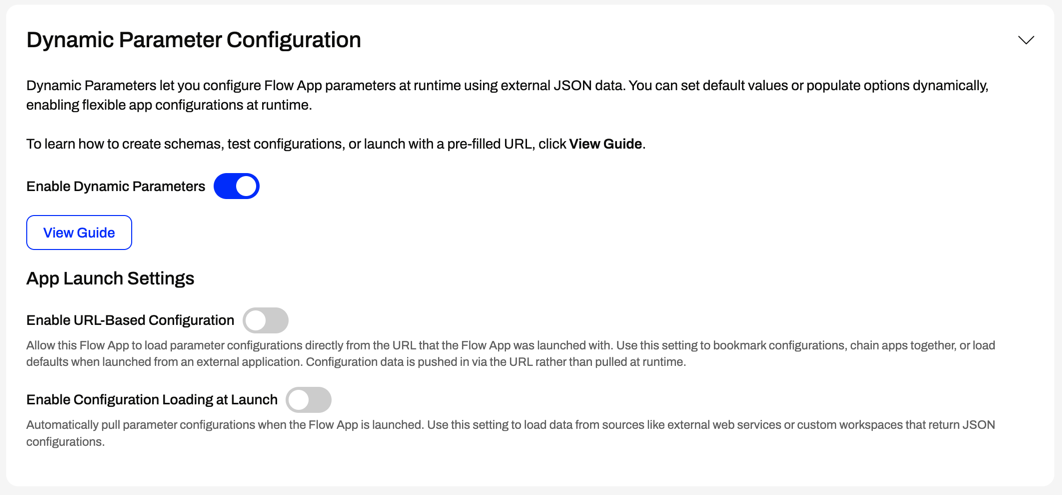
So far, the user parameters you have used in the training are static, meaning the parameter settings, including choice options and default values, are set when you create the workspace and workspace app. FME Flow workspace apps also support dynamic parameters, where you can set user parameter settings and default values that differ and are set dynamically when the app loads or from an external source. Dynamic parameters add flexible app configurations and give users the most up-to-date parameter data when they access your app. By dynamically configuring the parameters from an external source, one app can serve multiple audiences, and parameter choices and defaults can be maintained by whoever owns the data rather than workspace authors. For the person using the app, this shows up as a shorter, more accurate form: a preset default is one less decision they have to make, and a choice list built from current data means they cannot pick an option that no longer returns anything.
Dynamic parameters let a JSON schema dynamically change default values or available choice options for user parameters at runtime. The app author is responsible for linking the JSON schema to an app when creating the app, using the Dynamic Parameter Configuration section. The workspace app may load the JSON schema at launch from an external source, or directly from the URL the app launches with.
This option uses the app URL to pass URL-encoded JSON parameter configurations when launching the app. The URL must supply the configuration for the allowed parameters through a query string parameter named dynamicParameterData.
URL-based configuration is most useful for bookmarking app configurations, chaining workspace apps together, or loading app defaults when launching the app from an external application.
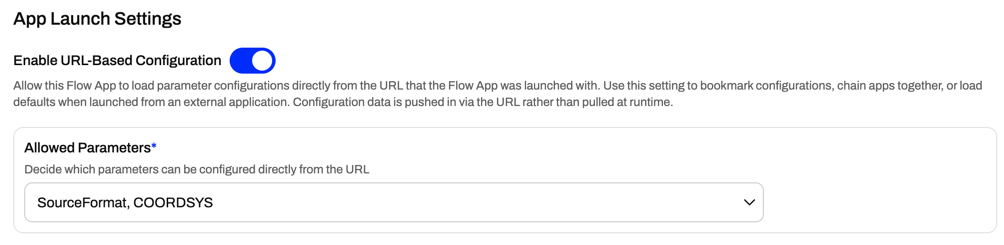
We will return to cover URL-based dynamic parameter configurations in the Set Parameters with Query Strings lesson.
This option enables FME Flow workspace apps to pull dynamic parameter data from external sources when the app loads. As of FME 2026.1, workspace apps support loading the JSON schema for parameter configurations from:
To configure these, the app author selects the data source and provides the URL, Resources file, or workspace that sources the JSON. When the app loads, it reads the JSON schema and populates the parameter options or default values accordingly.
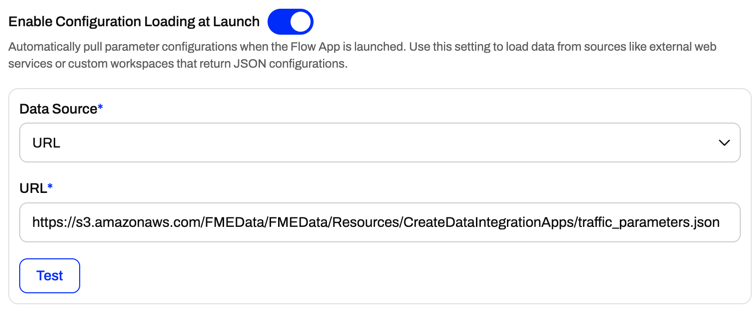
Loading app parameter configurations at app launch lets you link multiple FME workflows and control parameter options or values. For example, you may have an FME Flow automation that triggers in response to an external event and writes a dynamic parameter configuration based on the event to a JSON file in Resources.
The workspace that pulls the dynamic parameter configuration is different from the workspace the app runs in, so you will use two workspaces to configure a workspace app that launches with dynamic parameters from a workspace. The next lesson, Populate App Parameters from a Workspace, will cover how to use a workspace to supply dynamic parameters to an app.
To confirm whether your parameter configuration will work, you can test and preview the parameter source while building your workspace app. Test displays the parameter configuration the data source currently returns, and Preview shows the parameters as they would appear in the app.
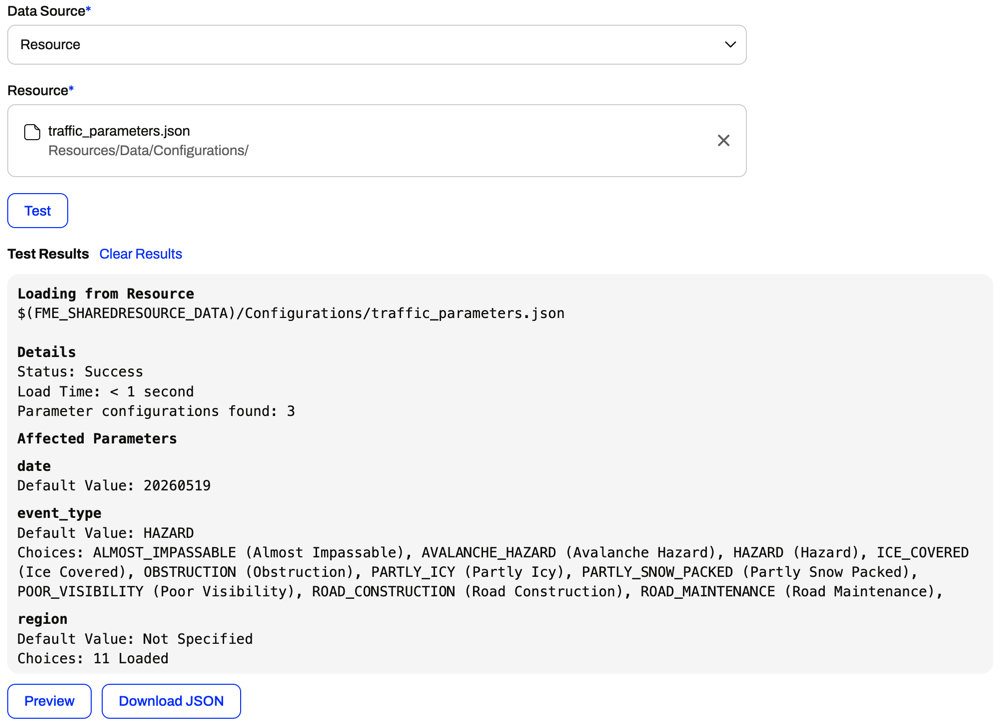
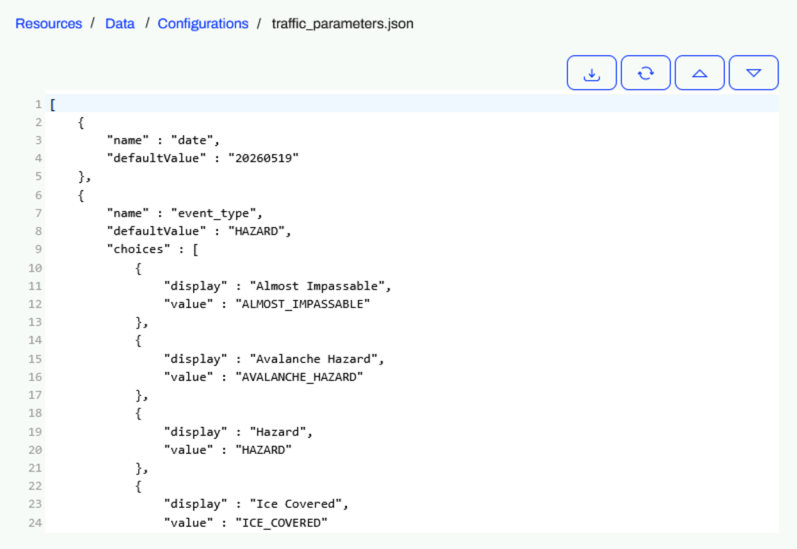
The JSON array for dynamic parameter configuration contains one object per parameter you want to control. Each object names the parameter and then sets its default value, its choices, or both:
[
  {
    "name" : "date",
    "defaultValue" : "20260519"
  },
  {
    "name" : "event_type",
    "defaultValue" : "HAZARD",
    "choices" : [
      { "display" : "Hazard",      "value" : "HAZARD" },
      { "display" : "Ice Covered", "value" : "ICE_COVERED" }
    ]
  }
]
The name has to match the parameter's identifier in the workspace, or FME ignores the object and the configuration. The display is what the user sees and value is what the workspace receives, similar to creating options for the user parameter manually. Any parameter the JSON doesn't mention keeps whatever the workspace already set for the parameter.
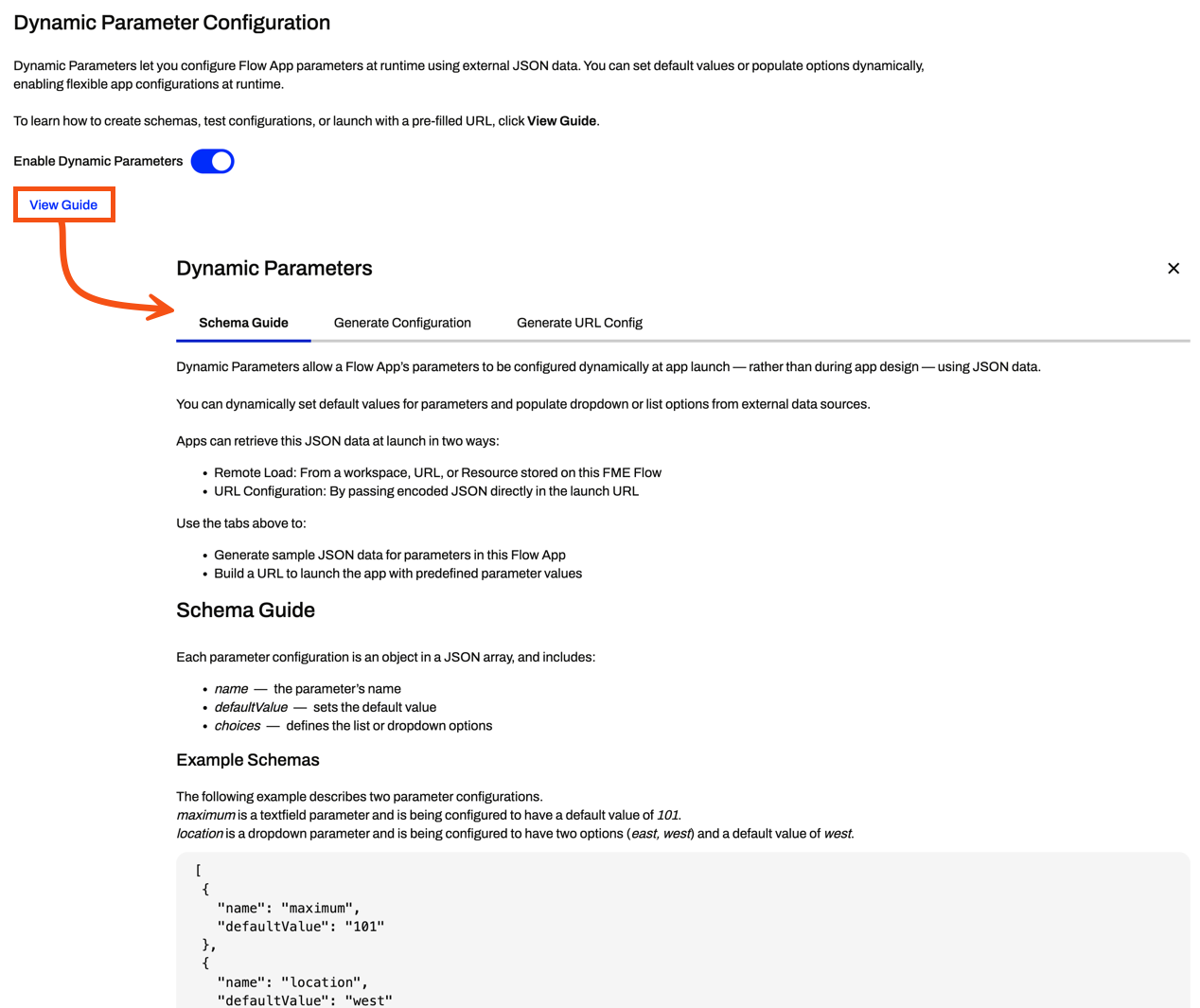
Whether the source is a URL, Resource file, or workspace, the JSON schema must follow this structure to successfully populate the parameters dynamically. To help with the JSON schema, the dynamic parameters guide explains the schema and generates starting JSON arrays for each source type.

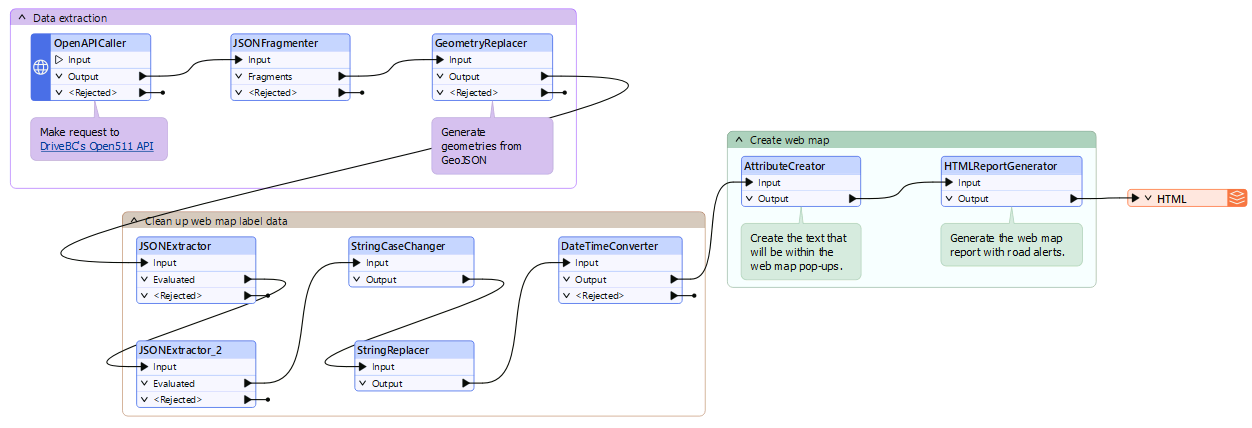
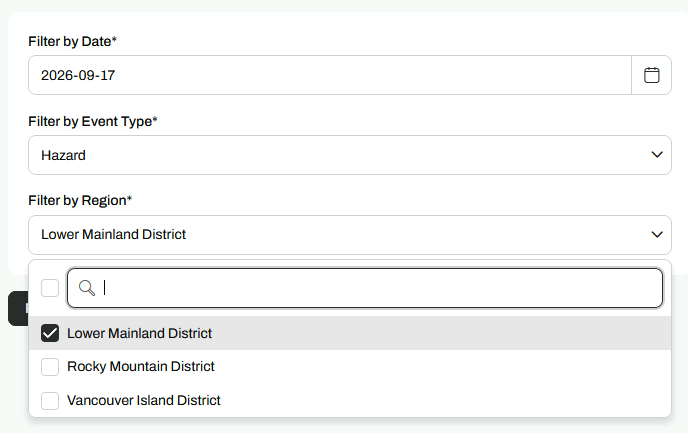
Jennifer, a GIS Specialist, has created a workspace app that maps traffic events and alerts in British Columbia using DriveBC's Open511 API. You may filter the events by date, event type, and region. Currently, the app uses choice options Jennifer set up when she created the workspace. However, Jennifer's list of choice options doesn't include all the values you can filter for using the API. Rather than editing the workspace each time the API's options change, she wants the choice list to come from a JSON file she or a colleague can edit and update.
In this exercise, you will:
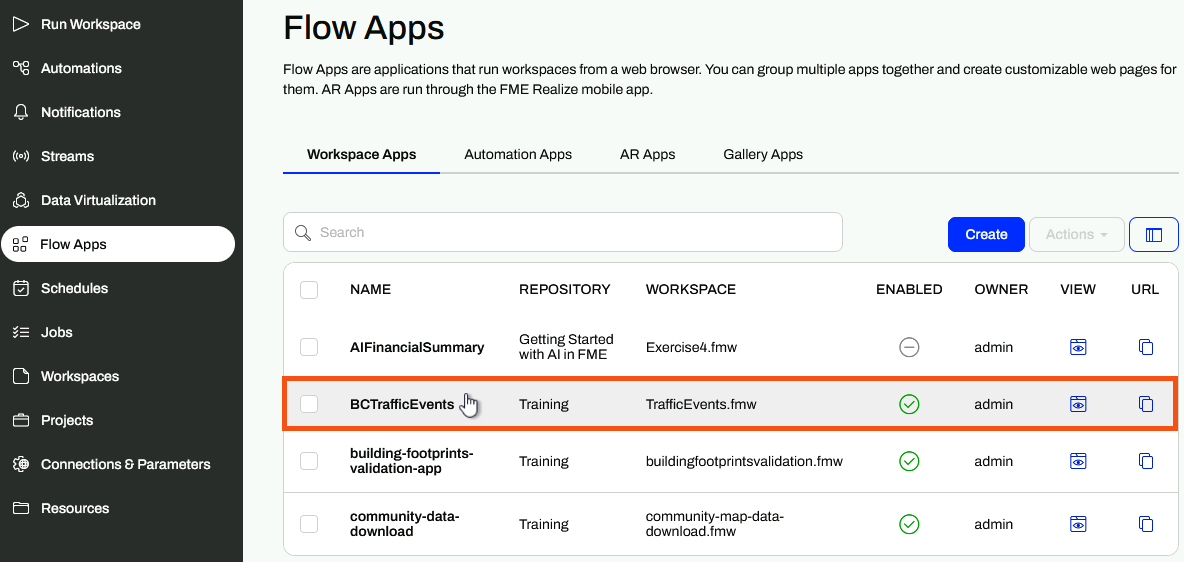
Jennifer has already created the workspace app in FME Flow. It uses the data streaming service and displays the web map of filtered traffic events directly in the browser.
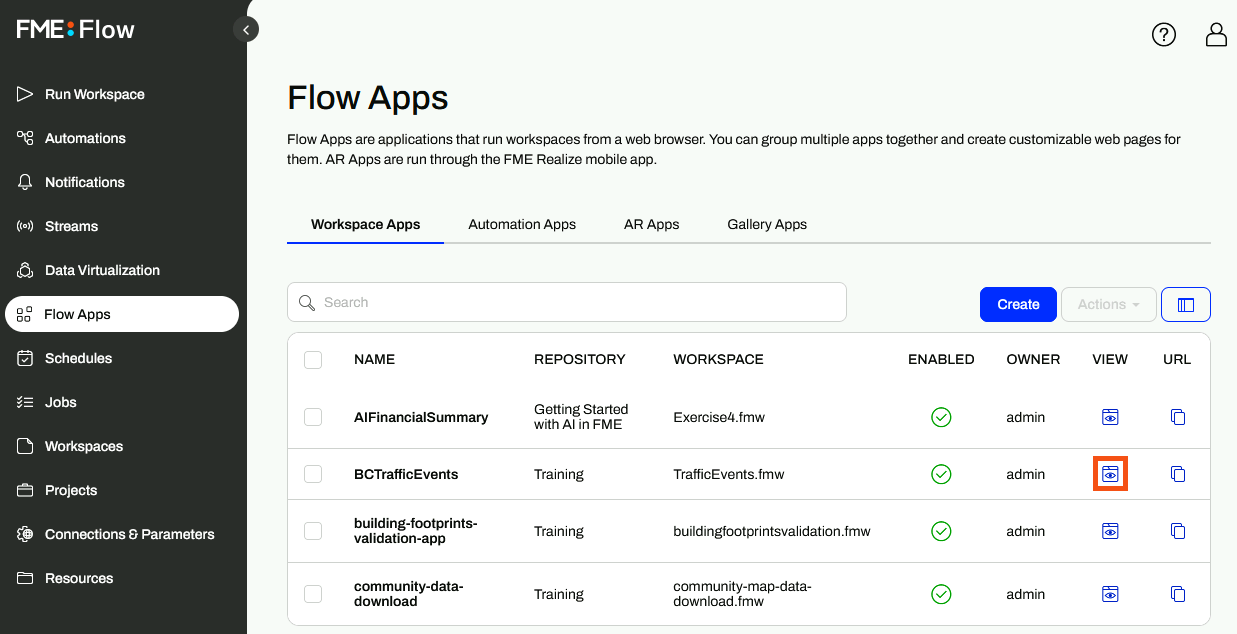
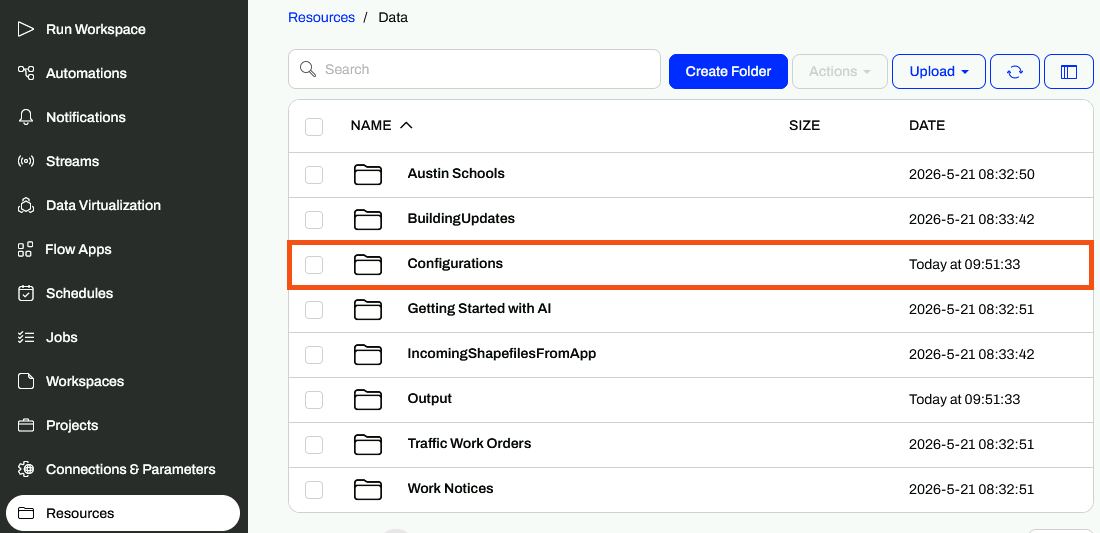
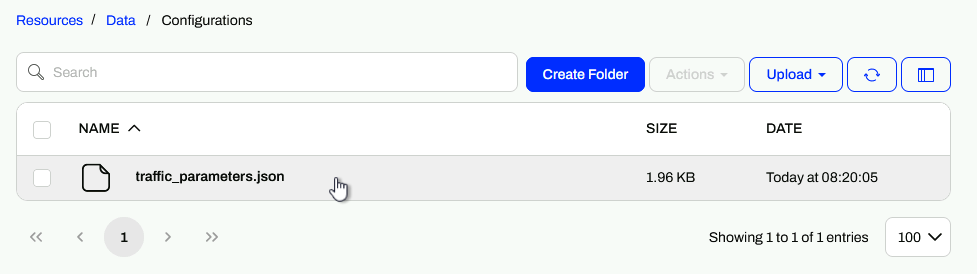
The JSON file with new parameter configurations is already on FME Flow for the workspace app to reference.
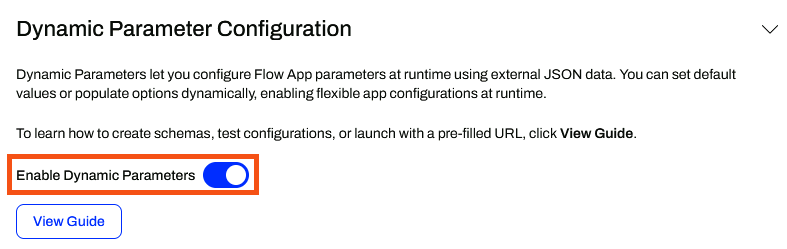
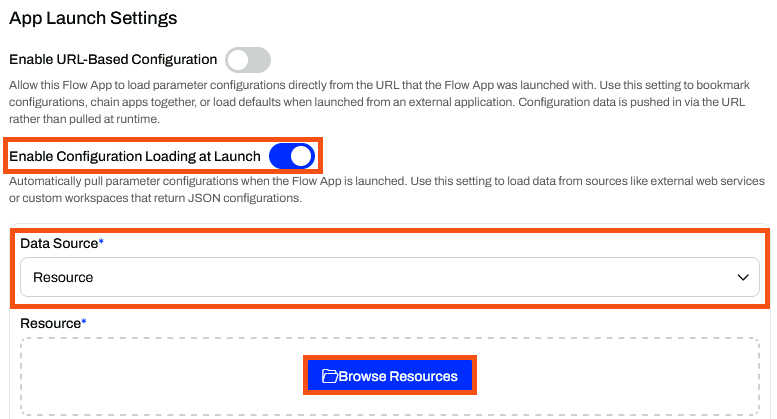
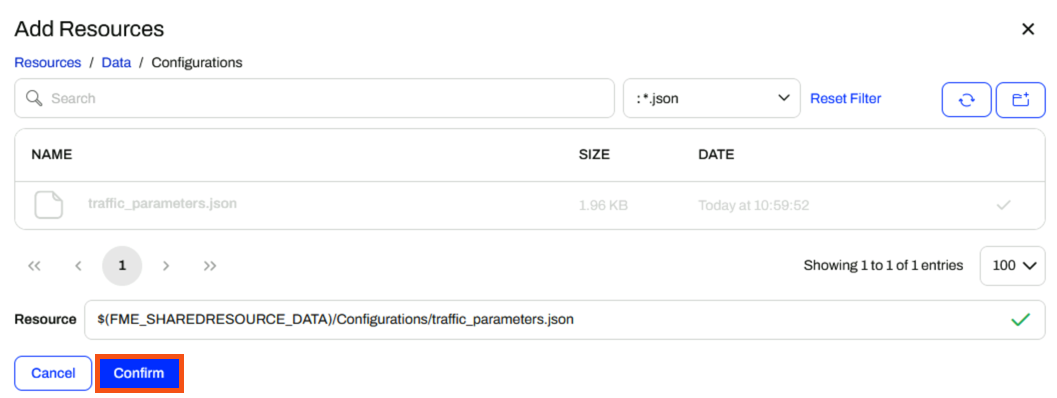
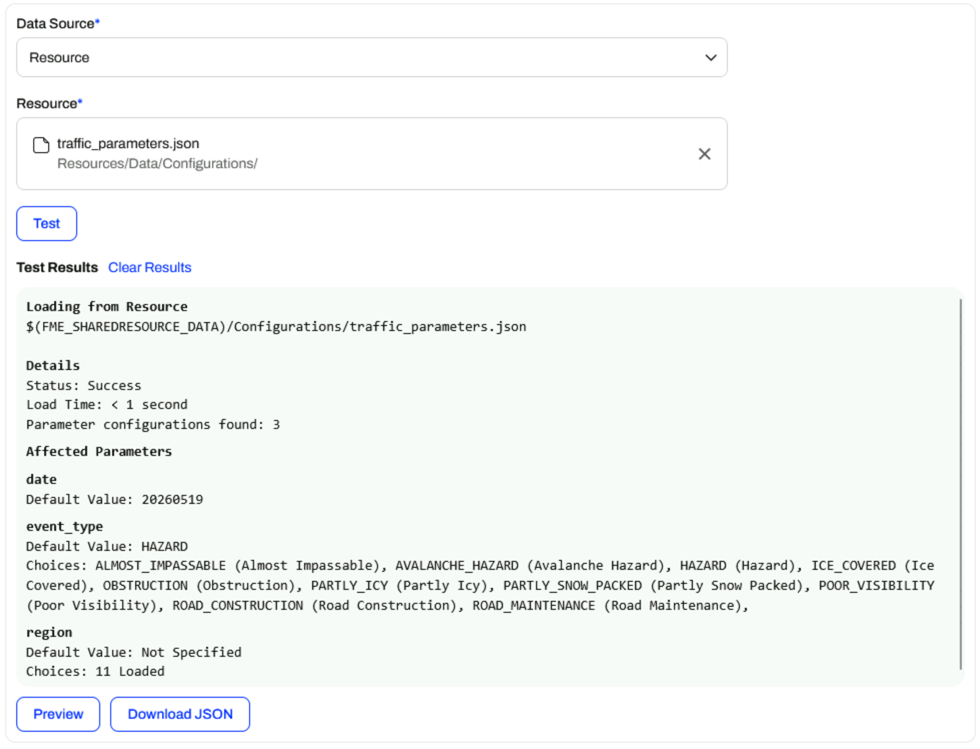
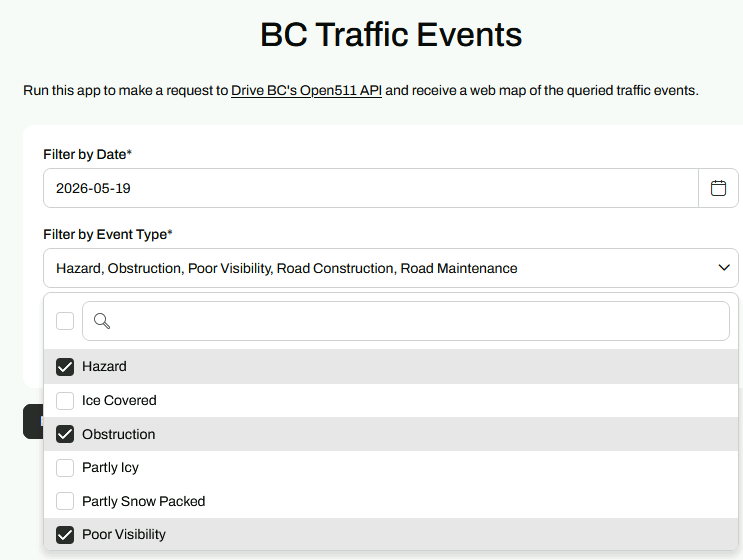
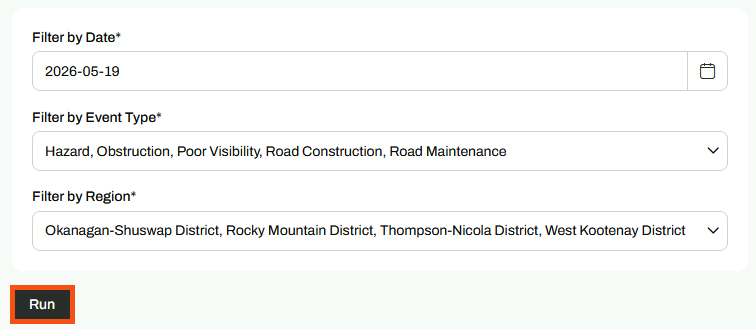
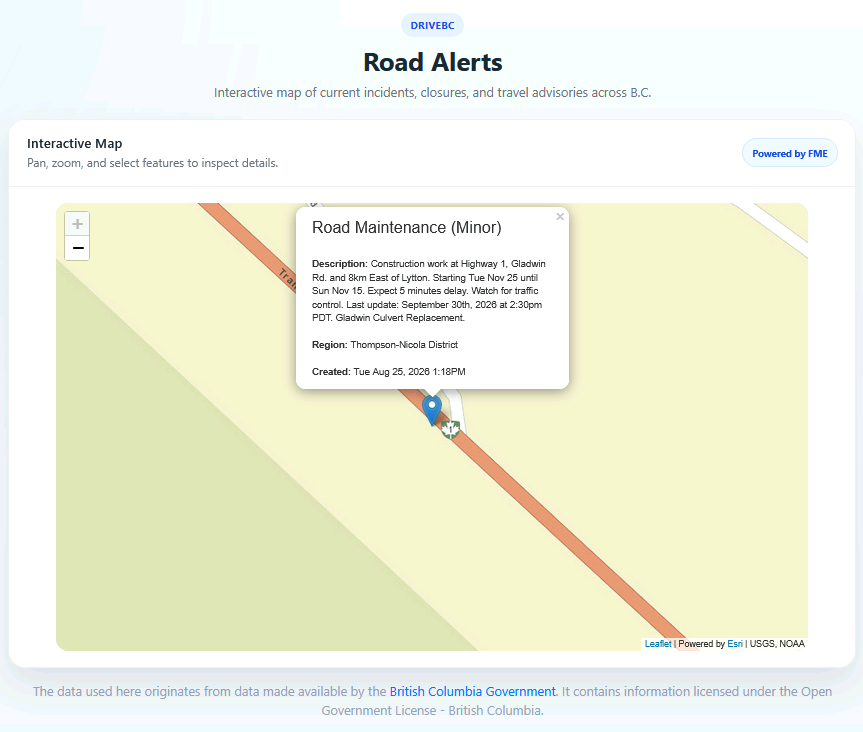
Jennifer's app can now supply default values and parameter choices from a JSON file, and they update as the file changes.
If you're taking a live Safe Software-hosted training course or using an on-demand lab for this course, we've already imported the content for this lesson into your FME Flow.
If you're completing this lesson with your own FME Flow, you must import the starting project with the content into your FME Flow.
See FME Flow Authoring: Instructions to Import the Starting Project for directions to import the project to your own FME Flow.
So far, the user parameters you have used in the training are static, meaning the parameter settings, including choice options and default values, are set when you create the workspace and workspace app. FME Flow workspace apps also support dynamic parameters, where you can set user parameter settings and default values that differ and are set dynamically when the app loads or from an external source. Dynamic parameters add flexible app configurations and give users the most up-to-date parameter data when they access your app. By dynamically configuring the parameters from an external source, one app can serve multiple audiences, and parameter choices and defaults can be maintained by whoever owns the data rather than workspace authors. For the person using the app, this shows up as a shorter, more accurate form: a preset default is one less decision they have to make, and a choice list built from current data means they cannot pick an option that no longer returns anything.
Dynamic parameters let a JSON schema dynamically change default values or available choice options for user parameters at runtime. The app author is responsible for linking the JSON schema to an app when creating the app, using the Dynamic Parameter Configuration section. The workspace app may load the JSON schema at launch from an external source, or directly from the URL the app launches with.
This option uses the app URL to pass URL-encoded JSON parameter configurations when launching the app. The URL must supply the configuration for the allowed parameters through a query string parameter named dynamicParameterData.
URL-based configuration is most useful for bookmarking app configurations, chaining workspace apps together, or loading app defaults when launching the app from an external application.
We will return to cover URL-based dynamic parameter configurations in the Set Parameters with Query Strings lesson.
This option enables FME Flow workspace apps to pull dynamic parameter data from external sources when the app loads. As of FME 2026.1, workspace apps support loading the JSON schema for parameter configurations from:
To configure these, the app author selects the data source and provides the URL, Resources file, or workspace that sources the JSON. When the app loads, it reads the JSON schema and populates the parameter options or default values accordingly.
Loading app parameter configurations at app launch lets you link multiple FME workflows and control parameter options or values. For example, you may have an FME Flow automation that triggers in response to an external event and writes a dynamic parameter configuration based on the event to a JSON file in Resources.
The workspace that pulls the dynamic parameter configuration is different from the workspace the app runs in, so you will use two workspaces to configure a workspace app that launches with dynamic parameters from a workspace. The next lesson, Populate App Parameters from a Workspace, will cover how to use a workspace to supply dynamic parameters to an app.
To confirm whether your parameter configuration will work, you can test and preview the parameter source while building your workspace app. Test displays the parameter configuration the data source currently returns, and Preview shows the parameters as they would appear in the app.
The JSON array for dynamic parameter configuration contains one object per parameter you want to control. Each object names the parameter and then sets its default value, its choices, or both:
[
  {
    "name" : "date",
    "defaultValue" : "20260519"
  },
  {
    "name" : "event_type",
    "defaultValue" : "HAZARD",
    "choices" : [
      { "display" : "Hazard",      "value" : "HAZARD" },
      { "display" : "Ice Covered", "value" : "ICE_COVERED" }
    ]
  }
]
The name has to match the parameter's identifier in the workspace, or FME ignores the object and the configuration. The display is what the user sees and value is what the workspace receives, similar to creating options for the user parameter manually. Any parameter the JSON doesn't mention keeps whatever the workspace already set for the parameter.
Whether the source is a URL, Resource file, or workspace, the JSON schema must follow this structure to successfully populate the parameters dynamically. To help with the JSON schema, the dynamic parameters guide explains the schema and generates starting JSON arrays for each source type.
Jennifer, a GIS Specialist, has created a workspace app that maps traffic events and alerts in British Columbia using DriveBC's Open511 API. You may filter the events by date, event type, and region. Currently, the app uses choice options Jennifer set up when she created the workspace. However, Jennifer's list of choice options doesn't include all the values you can filter for using the API. Rather than editing the workspace each time the API's options change, she wants the choice list to come from a JSON file she or a colleague can edit and update.
In this exercise, you will:
Jennifer has already created the workspace app in FME Flow. It uses the data streaming service and displays the web map of filtered traffic events directly in the browser.
The JSON file with new parameter configurations is already on FME Flow for the workspace app to reference.
Jennifer's app can now supply default values and parameter choices from a JSON file, and they update as the file changes.
